Showing posts with label social media. Show all posts

Thursday, July 28, 2022

Virtual Variety: Passive Programs (Part 2)

Lindy Liedl from the Rice Lake Public Library returns with her monthly column on all things virtual to help you connect with your patrons!

Image by Clker-Free-Vector-Images from Pixabay 
Passive programs on your social media are a great way to engage patrons and keep people excited for your next post. These could be shared on whichever social media platform your patrons respond to the most. I mostly share them on our Discord server for teens to keep it active while they’re busy during the summer. (Check my previous post about Discord for libraries!)

For this time, our passive virtual program is Writing Prompts.

You might be surprised how many writers come out of the woodwork when they’re encouraged. Writing prompts can be shared as image posts, a sentence, or a beginning paragraph. If you’re not a writer yourself, like me, some good prompt sources are Pinterest, or doing a Google search for “writing prompt image”, or this handy blog: https://promptuarium.wordpress.com/category/writing-prompt/

First, it might be worth considering whether your patrons need some incentive to respond to prompts. You could offer to repost their writing on your socials, or to display them on wall space in your library–This worked really well for National Poetry Month. We then had a Community Poetry Wall for visitors to view, and all ages got into it!

Instagram writing prompts: Since Instagram stories don’t really allow for long responses, I would share writing prompts as a post and ask patrons to comment. You could invite them to message you instead if they’d rather be anonymous.

Facebook writing prompts: A weekly/monthly post would work well on Facebook too. Invite patrons to respond in the comments, or message you. You could reshare responses once a month too.

Discord writing prompts: Share a prompt image or sentence to a writing channel, and teens can post their responses right there. 

You might have to specify guidelines for the content patrons share if you want them to keep things PG. My teens asked if it was okay to share writing containing swear words, and we decided on using Discord’s censoring feature to block out certain words unless the reader is comfortable viewing them. Other platforms don’t have this tool, so you could state right away that you’d prefer not to receive writing containing profanity, gore, etc. But don’t let this scare you! People are generally respectful knowing that they’re posting to a library space.

Be sure to encourage each person who posts or messages you their writing since it’s a pretty vulnerable thing! Afterall, what’s the point in sharing their writing if they’re going to be ignored? For good measure, I like to point out specific things I like about what our teens share. This gets them even more confident to share again. If you’re really lucky, these passive posts could connect fellow writers and get them chatting together which could develop into a group! But even if not, it’s a really fun way to engage your community online, and to see some hidden talent.


Friday, July 22, 2022

Using TikTok at the Library

Recently, an idea-filled article from an ALSC Children and Technology Committee member shared some ideas and resources on using TikTok in your programming and service approach. It's definitely worth considering or adding to what you already offer.

Stop here to find out more. [Telling the Library Story on TikTok. Salgado, Claire Moore. ALSC blog. July 9, 2022}  


Thursday, June 30, 2022

Virtual Variety - Passive Programs Part 1

A riddle shared on our teen Instagram stories @rplteens
Lindy Liedl from the Rice Lake Public Library returns with her monthly column on all things virtual to help you connect with your patrons!

A great way to keep your library Discord server or Instagram active while benefiting from those good stats is to share passive programs on there! I haven’t tried these on Facebook, but it could be worth a try.

What is Discord?

I did a previous post on how to make a library Discord, but to summarize that, it’s mainly a fun virtual space. Mostly geared towards teens and adults to chat and share photos. Discord also features some video/voice calling capabilities like Zoom for virtual programming all–in one place! Only those with a linked invitation to your server can join.

Passive Program: Riddle Days!

Our teens have really enjoyed guessing the answers to riddles virtually as a passive program. If not teens, your adult following on social media might enjoy this too! Once a week, I’ll share a riddle and then sit back and watch the speculation or check back later. We track how many people interact with the question, and at the end of the day–or once school lets out–I reveal the answer and send anyone who guessed correctly a little trophy emoji.

A riddle post created in Canva and shared on our Discord server.

I’ve thought about providing small prizes, but so far they get enough satisfaction just from being right. There’s usually one pro who guesses it right away, but sometimes their responses are funnier or more clever than the actual answer. It’s interesting to see where their minds take it. 

Riddles are easy to find, either on Pinterest or via a Google search. I try to aim for ones that have a funny answer and aren’t too easy/well known. 

More virtual passive program ideas coming next time!


Thursday, February 24, 2022

Virtual Variety: TikTok for Your Library!

Lindy Liedl from the Rice Lake Public Library returns with her monthly column on all things virtual to help you connect with your patrons!

Photo credit: School Library Journal What Makes These Librarians TikTok 
(Kelly Jensen. 8/11/20) 
featuring our library. (That's me on the left!)

Why should your library try learning a whole new social media platform?? To meet patrons where they are, to share new materials, catalog tutorials, special collections, what specific programs look like when they attend, to recommend materials staff enjoyed, to make yourselves and patrons laugh, for a fun approach to readers’ advisory, to interact or share ideas with other libraries around the world, or to reach patrons who wouldn’t know what you have to offer otherwise! Plus, there’s a lot of fun video tools to use without any expensive software.

The Very Basics

Like any platform, there’s all types of content: Readers, performers, pet videos, life hacks, gardeners, comedians, artists…anything you can think of! Maybe start off with a personal account, just to see how things work without any pressure to post content. 


The “For You” tab is like the explore page on Instagram: videos similar to what you’ve looked at before, or Liked. The “Following” tab is where you find accounts you’ve followed, of course. A lot of videos on TikTok consist of using sounds that can be selected to play over videos that everyone can put their own spin on. For example, a movie sound clip of Evelyn from The Mummy saying her famous line “I…am a librarian!” can be used over a TikTok by a new librarian proudly showing off, or over a TikTok by a lip-synching cosplayer dressed up as the movie character. The possibilities are endless! Or, you can simply record a video.


If you like a sound someone used, tap the rotating icon in the bottom right of their video and select “Use Sound” to record your own video using that sound! You can also bookmark the sound for later. (Google is a good spot to find quick tutorials for any TikTok functions if you’re stuck) 


Starting a library account: 

After creating your library’s profile, the first thing I’d recommend is finding other libraries or book people to follow for ideas (recommendations below). 


I keep track of ideas I might recreate by liking the video, because I can always find it later under our profile’s Likes tab. 


Since it's easy for original ideas to get repurposed without credit, you can give a little shout out to another account by tagging them with their @ in your video’s description. You won’t get in trouble for not doing this–it’s just a small courtesy I recommend on the wild west of the Internet. If it’s a sound that you’re reusing, the sound itself should link back to the original video, so you shouldn’t need to credit them.


Add captions (which can be edited) whenever possible to make your videos accessible to everyone!


Once you’ve started, don’t forget to let your patrons know! Short announcements on your other platforms, and posters in the teen area are good starts. Our Facebook has a good following, so I’ll occasionally share a TikTok there to remind people, or to let newcomers know.


Most importantly: Have some fun!! :) Laugh, share, and show people the magic of libraries.


Recommended follows:

@OswegoPublicLibrary

@DavenportPublicLibrary

@Bookish_Afrolatina

@CoalCitypubliclibrary
@Doverpubliclibrary
@hpulibraries
@PortageCoPubliclibrary

@MaywoodPubLib
@LibraryCCPL
@mychal3ts

@WhitbyLibrary
@akbusybee
@StoonLibrary
@theNextGenLibrarian

@gvhsLibrary
….and us! @RiceLakelibrary


Wednesday, October 27, 2021

Missing Storytime Underground on Facebook?


After Storyime Underground shut down this past year, it left a hole in alot of our work lives. The sharing, answers to questions, deep dive into thorny issues, peer-to-peer connectivity and cool ideas are greatly missed.  

But all is not lost. Kim Niesing, Youth and Inclusive Library Consultant for Monarch Library System, recently shared a discovery she made. She writes in her weekly system youth services email: "Missing the Facebook group, Storytime Underground, which was retired a few months ago? I found a comparable Facebook group. It is much smaller in membership, but it is a very active group. It is called Storytime Solidarity." The page was created by a longtime member of SU who wanted to share storytime and early literacy tips. It's worth a look.


Wednesday, July 21, 2021

White Gatekeeping in YA Lit

In a startling and insightful piece, Kelly Jensen over at Book Riot explores the role of adult readers of YA lit defining and boosting the genre more than teen readers do - especially on social media.  She also dives deeply into the issue of white gatekeeping of the literature and the damage this does.

She writes: "Despite the fact young adult books are “for” teenagers, it’s rarely teens who are shouting the loudest about those books. They’re reading them, but they’re not necessarily the ones making the most noise about books in the YA “community” on social media."

To read this thoughtful article, stop here.

Tuesday, October 6, 2020

TikTok at the Library

Check out this super fab post on the IFLS Keeping Up With Kids blog, where Claire and Lindy from Rice Lake Public Library share how they helped their library join the world of TikTok!

Click HERE to read more.

Have you utilized TikTok at your library?  Tell us all about it in the comments!


Tuesday, March 24, 2020

Using Premiere for Virtual Programming on Facebook

Do you want the community feel of a live program, but the idea of going FB Live makes you want to curl into a corner and cry?

First things first: you 100% got this!

Secondly, why not try your hand at using the Premiere option on Facebook?

Premiere lets you to post pre-recorded material while still allowing your audience to interact with it as though it were being filmed live.  (Hearts, likes, and comments...oh my!)

Check out THIS ARTICLE for a detailed breakdown of Premiere, the features involved, and how to schedule a video post of your own.

Virtual & Offline Programming YSS blog COVID-19 series:

Friday, March 20, 2020

Storytime Goes Digital - Guest Post

Today's guest post is from the ever fabulous
Abby Bussen of Muskego Public Library!

Let me start by saying this: I am NOT an expert on doing digital storytimes—I just livestreamed my very first one ever, so I am sure I will continue to evolve and learn as this becomes my weekly practice.

I chose to do a full storytime with a slightly modified format. I did this because my storytime kiddos know exactly what’s coming next and research proves that kids routines are beneficial for all kids. They’re also particularly important for our kiddos with developmental differences. This is an unprecedented situation, but I want my families to have something they can count on.

Here are some observations I made as I reflected on this experience.

1)      I realized in my trial run that if I used forward-facing camera, everything was mirror image, so pictures and words were all flipped. If you can (if you have another set of hands around), do the normal camera instead of forward-facing. I had EXTREME anxiety about not being able to see myself until I remembered that for the viewer, this experience was no different than normal. In short, it’s hard not to be self-conscious because We (as a society) are so used to being able to reshoot and review everything we create to perfect it before posting, but I’m here to tell you this: you’re great and you know it, so just go with it!

2)      I wanted to be far enough away from the camera to do my shape game and read and have everything in the shot, but in the future, I will move closer specifically when I’m reading the book(s). When I rewatched it (I shouldn’t have, btw, I was so critical of myself in the rewatch), it was a little hard to see the pictures. I’m glad I’m an animated reader, I think that’s what saved me in the greatest “not being able to see the pictures very clearly” debacle of my life. No one complained about it tho, so [shrug].

3)      I chose to do a format super similar to what I do on a normal basis instead of posting a clip of me reading. I did this to give our kiddos the familiarity of routine. I have considered doing just a reading on its own and posting that either on our page or on YouTube. If I do this, I will add in subtitles as an accessibility measure.

4)      Get ready to not be interrupted. Seriously, when was the last time you got through a whole storytime without interruption? Never. It’s a little awkward.

5)      I also thought, well maybe I shouldn’t clap and say good job after everything because who knows if they’re doing a good job. But then I remembered the kids whose parents have told me that if the parents don’t clap and say “Great job listening!” after every book they read at home, the kids get like legit MAD. It’s part of my routine, so I included it. I felt weird clapping in a room by myself, but to the kids watching, I’m clapping for them.

6)      Get ready to cry afterwards. I’m not kidding. When I saw pictures and videos of the kids I love following along…WOW. The community response has been SO WORTH my anxiety. I WAS SWEATING BUCKETS DURING AND AFTER THIS. Storytimes virtually, it turns out, are higher stress than in person for me :D

7)      I ordered a mic and tripod last week in anticipation of this possibility, but it’s not here yet, so this was all shot on my iPhone. I logged into our library’s Facebook page and went live and it went ok. If you don’t have high-tech gear, you’ll be ok. I promise.

8)      I spent a lot of the night before/morning of talking to my virtual hype person – another librarian whom I love deeply, who is doing her own first virtual storytime too, and who was also nervous about this new platform. You are going to do GREAT AT THIS! You are great at this every week in person! Your families love you and can’t wait to see you! Authors and illustrators are gonna watch you read their books and be like “Wow, that librarian is CRUSHING this. They are better at this than I am! I should have them read all my books to people all the time!” I mean, maybe they’ll be like that. They would be like that if they saw you reading their book. Just sayin’.

9)      IF YOU NEED A HYPE PERSON, I WILL BE THAT PERSON FOR YOU! Don’t hesitate to reach out to me! I will tell you all about how great you are and I won’t be lying.

10)   Overprepare. Just today I realized that I might need to stream storytimes as I work remote from home and I have no idea how long that could last. No one does. Tracy Jordan (30 Rock) said “Live every week like it’s shark week.” It doesn’t have a direct correlation, but I’m taking it this way: Leave work every day with everything you need to do your job from home for an indefinite period of time. 

My #1 crush, Lin-Manuel Miranda, wrote “History has its eyes on you.” I encourage you to take that phrase to heart. Journal. Blog. Take photos. Track your experience. History textbooks will write about this crisis and the first-hand experiences of all of us are valuable. If you have reflections from your own virtual storytimes, please comment below! 

Thursday, April 11, 2019

SparkNotes Twitter Account is Winning

Reid McCarter over at AV News has brought to my attention the hilarity that is the SparkNotes Twitter account.  
Their literary meme game is, well . . . lit.  While some of the account's blatant branding can be a touch off-putting, their social media skills cannot be denied, particularly when adding a book-themed twist to the internet's favorite memes.  Check out the account for corny, hilariousness: @SparkNotes


Tuesday, April 9, 2019

Teens Rockin' Social Media to Share Their Love of Books and Reading!

Looking to refresh your bookish social media intake?  You're in luck!

Book Riot contributor Karissa Knox Sorrell recently posted 30 Teen Book Bloggers, Bookstagrammaers, and Booktubers You Should Be Following.

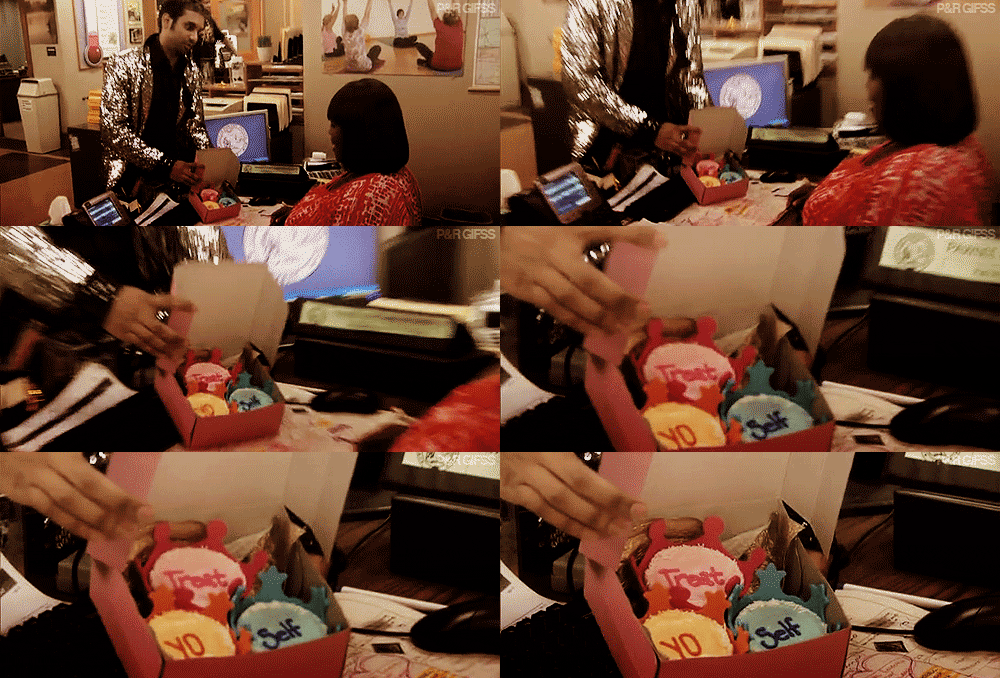
Treat yo self to some lovely insights, reviews, and imagery from a plethora of teen readers, bloggers, vloggers, tweeters, and Instagrammers.

Image result for treat yo self

Because research.


Thursday, February 22, 2018

Webinar on Marketing Library Programs

Marketing Library Programs for Increased Impact (webinar)
Tuesday, February 27
1:00 - 2:00pm

Presented by: Sam Helmick, Public Service Librarian
Burlington Public Library; Burlington, IA
1 CEU

Increase your library’s impact by empowering patrons to contribute to the library marketing conversation. This session will give participants a hands-on look at how teens communicate with each other on social media and how to use social media to promote events.  Learn how to collect patron-driven content for more meaningful dialogue, how to better represent the diversity of your service population in marketing media and how to craft vibrant, engaging campaigns designed to move beyond the brick-and-mortar boundaries of your Library Space.   From traditional paper flyers to the newest social media tricks, we’ll help you level up your library’s marketing game. Platforms covered will include Snapchat, Facebook, Twitter, Instagram, and Tumblr.

Register

Thursday, January 12, 2017

GIF Mania!

Who doesn't love a good gif?  Recently, the US National Archives spearheaded an effort to share historical moments in the form of gifs.  With the help of GIPHY,  the National Archives has created a library of some 150 gifs, highlighting everything from Elvis and Nixon to astronauts to libraries.  Now, if you are like me happen to be slightly less witty and relevant in the social media realm than you would like to be, I would encourage you to make use of this fabulous gif collection.  In particular, I love these:


via GIPHY

via GIPHY

via GIPHY

Check out the whole collection HERE.  Happy gif-ing!

Tuesday, August 23, 2016

Snapchat and Libraries

Library use of social media is deeply interesting to me. Libraries are not exactly like businesses but they aren't exactly like individuals either. So, how we make use of social media and apps to connect with our patrons and our communities is constantly changing just like trending apps.
Snapchat

Today, I'm examining the potential of Snapchat for libraries to highlight books and services. Spurred on by an article #SnapSeptember and Snapchat in the Library on the ALSC blog, I followed the link to Alanna Graves' School Library Journal article on How To Use Snapchat for Readers' Advisory, which covers Snapchat basics and libraries and bookish accounts to follow.

As these things often do, it led to several more articles of interest:

BookRiot's 8 Bookish Snapchat Accounts You Should Be Following
David Lee King's Snapchat Content Ideas for Libraries
New Jersey State Libraries Marketing Portal's Marketing Public Libraries to Millennials Using Snapchat

Librarian Enumerations' Libraries on Snapchat listing
and Small Business Trends How To Start a Snapchat Account for Your Business.

If you are using Snapchat to reach youth in your library, we'd like to hear about it. Just email scournoyer (at) mwfls (dot) org.

Friday, November 13, 2015

YouTube Generation Webinar

 Know your memes, tropes, and teach it YouTube style! Being culturally literate and hip to the interwebs keeps us relevant and inspires instant student engagement. Teaching our kids about intellectual property shifts, content curation, and Creative Commons while still embracing the digital remix YouTube generation is part of a critical new toolbox for creative student expression.

When?  Tuesday, November 17th, 3:00 - 4:00 pm (Central)

Read more and register HERE

Thursday, January 26, 2012

It’s Flannel Friday—Have you heard?


Anna Haase Krueger, a YSS member, is the Youth Services Librarian/Assistant Library Director of Antigo Public Library. Anna blogs daily in her head, and sporadically at Future Librarian Superhero .  You can also find her on Twitter using @opinionsbyanna, where she is not as funny as she thinks but is occasionally relevant.


For those of us who do Storytimes, flannel (or felt) stories are a way of life. Many of us create our own pieces using craft felt and a good sharp pair of scissors. Have you ever spent hours laboring over a new set and wanted to show it off? Wasted precious time trying to think of a flannel board extension activity for your theme?  Wondered what else you could use a particular set for?

You, my friend, need Flannel Friday.

What is Flannel Friday?
On Fridays, storytime bloggers post pictures of flannel sets that they’ve made. Sometimes they include instructions, templates, or suggested uses for the pieces. Then, everyone who participates takes turn ‘hosting’ Flannel Friday and collects all the links into one place for that week’s round up. It’s a great way to connect with other librarians, get inspired, and show off your own work.  Occasionally, we have a Flannel Friday Extravaganza, which is a themed round up.  I hosted the Mushy Gushy Valentine’s Day Extravaganza recently, so if you’re looking ahead to plan your Valentine’s Day storytime there’s plenty of inspiration there.

But wait, there’s more!

Flannel Friday also has a Pinterest page, a fabulous visual collection of ALL the past Flannel Friday contributions. It’s perfect for browsing and searching for theme-specific ideas.  Flannel Friday also has a Facebook group, full of fantastic conversations, idea sharing, and crowd-sourcing (dare I say I prefer the Flannel Friday Facebook group to a list serve? I do).  

Want to get involved?
·         Anne over at So Tomorrow keeps Flannel Friday in line, with a schedule of upcoming hosts, and links to all the past round ups. She also does a great job explaining how to get involved, so rather than reinventing the wheel I’ll send you to her.

·         You can get a Flannel Friday badge (like the one above) to put on your blog from Melissa over at Mel’s Desk  She’s the one who started it all and is a fantastic resource.

·         Using Twitter is one of the best ways to get involved with the Flannel Friday community and get to know people. Get started by doing a search for the hashtag #flannelfriday and following the people who contribute.


Monday, December 19, 2011

An Interest in Pinterest


Today we have a guest blog from our YSS colleague Cassie Payne (Miss Pippi) from Menasha's Public Library!

Social Media is still a buzz word. Usually, it involves contacting your patrons, friends, or co-workers in new way and (hopefully) starting conversations with them. Let me introduce you to a new player on the Social Media front:  Pinterest.

Pinterest might be an old hat to some readers but if it’s new to you I would encourage you to stop by their website. Essentially, Pinners (Pinterest members) are creating virtual boards from pictures available on the World Wide Web. Browsers will find a wide variety of information available from fashion to food to early literacy and more! Many bloggers have their own Pinterest page and include a Pinterest button on their blog so people can easily follow them (as well as their Facebook and Twitter accounts). I started my own board a while ago and it has come in handy while collecting ideas for storytimes, programs, and bulletin boards. If others in your department or library have an account, Pinners can easily share ideas with one another.

If you’re interested in playing around with Pinterest, a new Webinar was just announced! Jill Patchin and Jessi Peterson (Eau Claire) and Georgia Jones are working together to show how they use Pinterest at the library.  I am looking forward to tuning in next year. Here’s a link if you would like more information about Pinterest for Librarians: https://www3.gotomeeting.com/register/224372166.

Happy pinning, friends!

Miss Pippi the Librarian
http://pinterest.com/misspippi/

Image: 'Pricks'  http://www.flickr.com/photos/78433558@N00/253796692